American Youth Football and Cheer
Earn your American Youth Football coach certification
More than 10 years ago, American Youth Football and Cheer partnered with leading coaching education provider Human Kinetics Coach Education to develop and deliver online courses for American Youth Football. Since then, tens of thousands of football and cheer coaches have earned their certification through the courses. This education helps ensure our coaches have the knowledge and tools they need to provide participants with the most positive and safe sport experience possible.
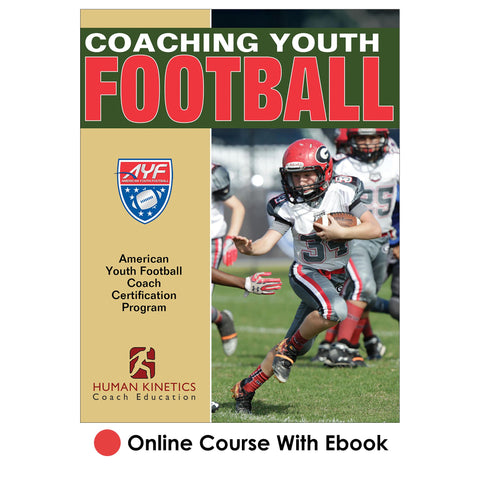
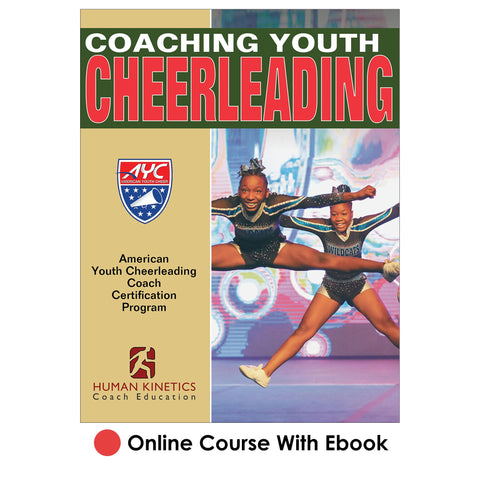
Coaching Youth Football the AYF Way and Coaching Youth Cheerleading the AYC Way present the fundamental coaching concepts, responsibilities, and the most important coaching points of the major skills and tactics of youth football and cheer. Coaches new to AYF and AYC take the respective introductory course for initial certification.
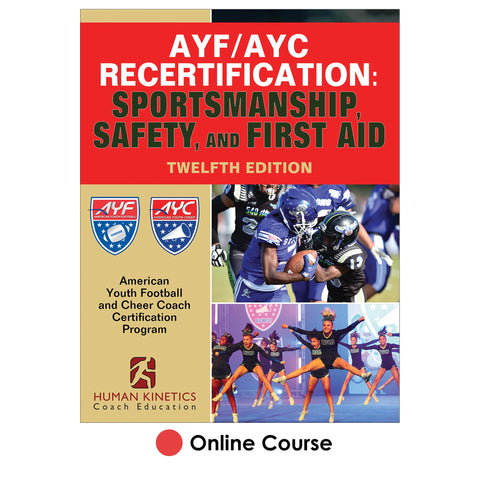
The recertification course provides returning coaches (those who have already taken the introductory course) with continuing education on topics pertinent to bettering and safeguarding the sport experience for coaches and athletes. Completion of the recertification course extends certification for one year.
In the best interest of our young athletes, AYF/AYC strongly encourages all our coaches to complete the coaching education program. Certification is required of head football and cheer coaches participating in national championships.
To get your certification, begin by purchasing your course. Course access instructions will be emailed to you immediately after purchase. Follow the instructions and link in the email to access your course. Or, after purchasing your course, return to this page and click on "Take Course/Print Certificate" from the left-hand menu to access your course. When you have completed the course, print a certificate of course completion from the website to document your achievement and submit to your league administrator.
Get started today!
About Coach Certification
American Youth Football and Cheer online coach certification courses improve the quality of coaching in AYF/AYC programs and foster a positive sport experience for participants at the youth level.
Initial certification (for new coaches)
If you are a coach who is new to AYF or AYC this year and need to certify for the first time, then you will take the introductory course for the sport you coach. All tournament team coaches should be aware that a course completion certificate is one of the items on the registration checklist required for the national championships.
Recertification (for returning coaches)
Returning AYF and AYC coaches are required to take the annual recertification course to continue their certification and professional development. Certification is valid for one year from the date of course completion. Completion of the introductory course is a prerequisite for taking the recertification course. If you have already taken the introductory course for the sport you coach, then you do not need to purchase the introductory course again.
About American Youth Football (AYF) and American Youth Cheer (AYC)
Founded in 1996, American Youth Football is an independent 501(c)(3) non-profit corporation that provides support services, scholarships, grants, giving back programs and tournaments to over 700,000 participants, 90,000 coaches, and 40,000 administrators in 50 states and several countries worldwide. AYF/AYC is committed to its Giving Back program, which has awarded more than $15 million in grants and athletic supplies over the years to communities that support youth football. AYF/AYC was the first national organization to offer all-inclusive football divisions, enabling every child a place to play. For more information visit the website at www.americanyouthfootball.com.
About Human Kinetics Coach Education
Human Kinetics Coach Education is the leading provider of youth, high school, and elite-level sport education programs in the United States. Rooted in an athlete-centered philosophy that places the developmental needs of sport participants ahead of winning at all costs, Human Kinetics Coach Education has educated more than two million coaches, officials, sport administrators, parents, and athletes. For more than 40 years, local, state, and national sport organizations have partnered with Human Kinetics Coach Education to lead the way in making sport a safe, successful, and enjoyable experience for all involved.
Buy Course
New football and cheer coaches earn initial certification by purchasing and taking the introductory course for the sport coached. Returning AYF and AYC coaches continue their certification and professional development by purchasing and taking the recertification course. It’s an investment that will provide dividends for seasons to come.
To purchase your course, click on the appropriate course image at the bottom of the page. During the purchase process, you will be asked to affiliate with an organization. Select "American Youth Football and Cheer" as your organization. You'll then return to this page, reselect your course, and add to cart. After purchasing your course, you will receive an email containing instructions and link for accessing your course.
Purchasing Courses in Bulk
If you are an administrator purchasing introductory courses in bulk (two or more courses) to assign to your coaches, click on the course you want to purchase, adjust the quantity in your shopping cart, enter the appropriate discount code*, and complete your transaction. You will receive an order confirmation email containing a link and instructions for assigning the courses to your coaches.
*Bulk discounts are available when purchasing 25 or more introductory courses (which may be a combination of football and cheer introductory courses). There is no bulk purchasing or discounts on the recertification course. For more information on how to purchase in quantity, click here.
Discounts are as follows:
| Number of Courses | % Discount | Discount Code |
|---|---|---|
| 25-49 | 5% | AYF25 |
| 50-99 | 10% | AYF50 |
| 100-499 | 20% | AYF100 |
| 500+ | 30% | AYF500 |
Take Course/Print Certificate
If you purchased your course after January 1, 2023 Take course/Print certificate
If you purchased your course on or before January 1, 2023 Take course/Print certificate
We recommend you print a certificate of course completion for yourself to document your achievement and print and/or save a copy for league records. As coach, you are responsible for providing your certificate of course completion to your league administrator.
After clicking on one of the links above, sign in using the email address and password you used when you took the course. If you do not remember the email address you used when you took the course, please contact us. Do not attempt to create a new account; this will result in a duplicate record, which will cause delays.
Frequently Asked Questions
New coaches should take the introductory course for their sport for certification, either Coaching Youth Football the AYF Way or Coaching Youth Cheerleading the AYF Way.
Returning AYF/AYC coaches should take the current year’s edition of the recertification course.
Note: Coaches must complete the relevant football or cheer introductory course prior to taking the recertification course.
Certification is valid for one year from the date of course completion. Coaches need to recertify each year to continue their professional development and certification.
The courses are web-based with all content delivered online (nothing will be mailed to you). The courses include the respective ebook Coaching Youth Football or Coaching Youth Cheerleading.
Coaches should expect to spend two to three hours going through the course and taking the test.
Yes, league administrators have the option of purchasing courses in quantity and distributing them to their coaches. AYF/AYC coaches are also eligible for bulk discounts. Click Buy Course on the menu for more information.
For additional FAQ, click here.
Can't find the answer you're looking for? Contact us.
AYF/AYC Coaches Registry
AYF and AYC administrators can look up coaches to verify course completion. From the drop-down menu, select “American Youth Football and Cheer” as your organization, then enter name, state, ZIP code, and/or date range and click the “Search” button. Note that coaches who have requested to be removed from the registry will not show up.
Coaches can print their course completion certificates from the website. As league administrator, have your coaches use this tool and provide you with the documentation you need for league records and binders.
If you need any assistance with documenting coaches' course completion, contact us.